// FREQUENCY_ANALYZER · SPECTROGRAM_VIEWER · v0.8.0

CHECK YOUR
LIBRARY QUALITY

A simple toolkit for DJs to verify audio file integrity. Quick spectral analysis to ensure your library is ready for the booth.

VIEW_ON_GITHUB
[ 00 ] QUICK_INSTALL
WINDOWS_POWERSHELL
iwr -useb https://raw.githubusercontent.com/snvini/music-analyzer/main/install.ps1 | iex
MACOS_TERMINAL
curl -sSL https://raw.githubusercontent.com/snvini/music-analyzer/main/install.sh | bash

// Fast installation on your Desktop. No manual downloads required.

// For manual setup, prerequisites and troubleshooting → github.com/snvini/music-analyzer

[ 01 ] THE_BASICS

Don't trust the
file name alone.

Metadata can be edited, but frequency peaks don't lie. Music Analyzer helps you identify "inflated" audio—files converted from low-quality sources that sound bad on large systems.

No setup required. Just drag your folder and start checking. It's fully portable and runs entirely on your machine (~530MB).
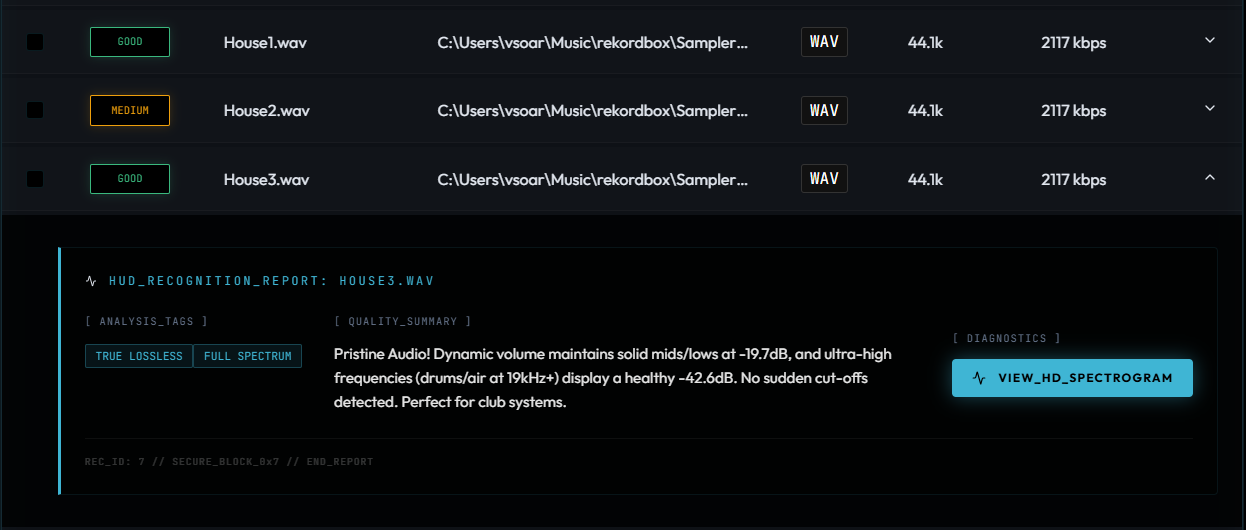
Main Interface
[ 02 ] SPECTROGRAMS

Visualize the
frequency floor.

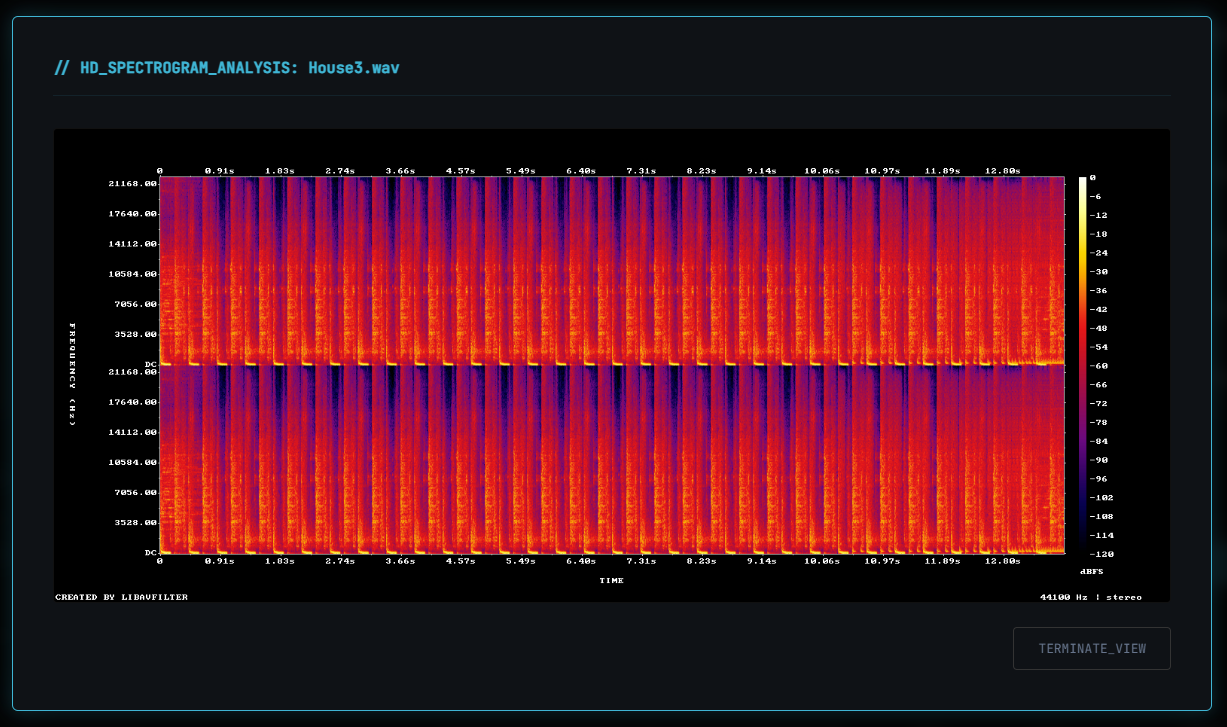
Generate simple spectrograms to see where frequencies cut off. It's the easiest way to tell if a "320kbps" file is actually a poor-quality rip.

Spectrogram View
[ 03 ] TOOLKIT_FEATURES

// EASY_SETUP

Everything you need is included. No need to install external players or complex libraries. Just run the script and go.

// BATCH_SCANNING

Scan entire folders at once. The tool will flag suspicious files that might be upscaled or low-quality.

// SAFE_CLEANUP

Move suspicious tracks to a local 'trash' folder within the project. Your original library stays safe while you audit.

[ 04 ] SUPPORT
☕  BUY_ME_A_COFFEE
|
QR Code PIX // SCAN · PIX